Best compact keyboards for office and home (the four that matter)
A compact keyboard is the smallest desk upgrade with the biggest daily impact. Four options across mac/windows, wired/wireless, silent/clicky, picked for office reality, not subreddit clout.
Not sure which keyboard?
Three quick questions, one keyboard to start with.
Who this is for
You want a real keyboard for a desk that splits between home and office. You do not want to be the person with the loud mechanical at 9am, but you also do not want to type on a flat chiclet for the next five years. This guide covers the four keyboards worth knowing about across mac/windows, wired/wireless, and silent/tactile - and skips the other hundred.
What I'd actually buy
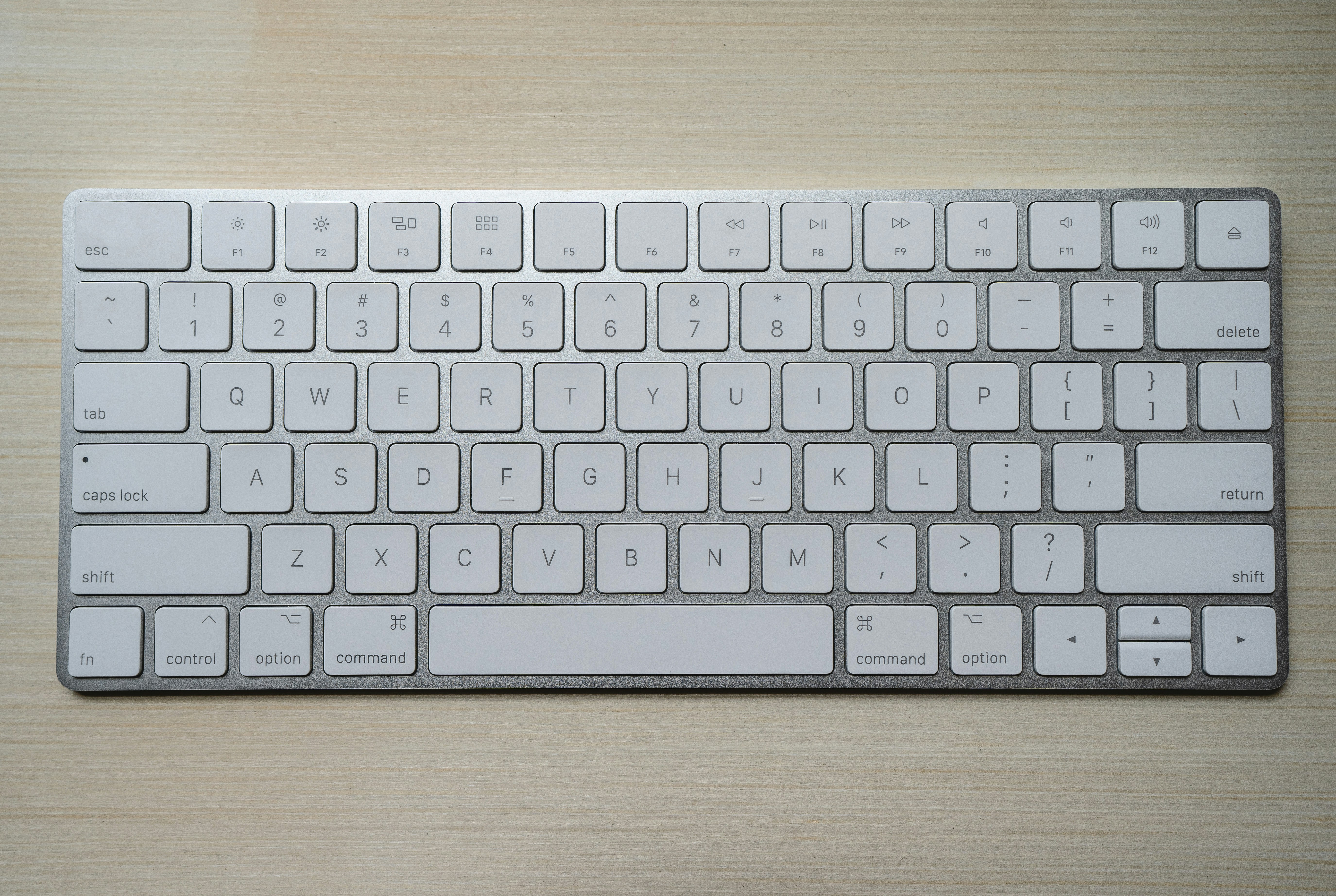
Magic Keyboard
Best for: Mac users who want zero friction and zero noise
- +Genuinely silent, fine in any office environment
- +Instant pairing on Mac via USB-C
- +Low-profile scissor keys are wrist-friendly
- −No Windows support without remap software
- −No backlight on the standard model
K3 Pro Low Profile
Best for: Cross-platform workers who want a real mechanical that does not annoy the whole floor
- +Hot-swappable switches: change them without soldering
- +Mac/Windows toggle on the back, works properly on both
- +Bluetooth and USB-C wired in one keyboard
- −Brown switches are quiet but audible - not office-silent
- −Plastic case picks up fingerprints and shows wear faster than aluminum
MX Keys Mini
Best for: Three-device switchers who need silence and a backlight
- +Three-device pairing with a single key, switches instantly
- +Smart backlight activates when your hands approach, off otherwise
- +Quiet enough for any office environment
- −Logi Options+ app is bloated and installs more than it needs to
- −Non-standard layout: some keys take a week to relearn
HHKB Professional Hybrid Type-S
Best for: Power users who type all day and want to keep this keyboard for 15 years
- +Topre switches are uniquely satisfying - tactile without being loud
- +60% layout puts your mouse closer to your shoulder line
- +Multi-device Bluetooth, built to last decades
- −60% layout requires relearning arrow key and function row access via layers
- −$385 is a lot of money for a keyboard - takes a specific kind of person to justify it
At a glance
Three ways to build it
Under $80 all-in. A compact keyboard and a wrist rest to go with it.
- Logitech K380 Multi-Device $45
Compact, connects to three devices, quieter than it looks.
- Generic gel wrist rest $15
Not pretty, but your wrists will notice the difference in a week.
Around $120. The version most office workers should actually buy.
- Keychron K3 Pro Low Profile $99
Brown switches for the office, RGB off, Bluetooth on.
- Walnut wrist rest $25
Actually makes the desk look good. Proportional to a 75% keyboard.
For when the keyboard is your most-touched object and you type for a living.
- HHKB Professional Hybrid Type-S $385
You have been thinking about this for a year. Just buy it.
- Custom PBT keycap set $60
Topre compatibility only - confirm before ordering any set.
- Walnut wrist rest $25
Picking the right one
Picking the right one
What I'd skip
- A loud mechanical with blue or green switches for office use. You will be the subject of a Slack message by 10am, and the message will not be kind.
- A full-size keyboard if you do not use the numpad daily. You are paying for keys you will hit by mistake and wasting desk space you cannot get back.
- A tenkeyless (TKL) keyboard. It is the worst compromise: still wide enough to push your mouse out of position, still has a function row you will never touch.
- A keyboard without a Mac/Windows toggle if you switch platforms. The function row will be labelled wrong forever and it will quietly drive you mad.
Common mistakes
- Mistake 1
Buying a clicky mechanical because the internet said so.
Instead: In a shared office, choose linear or low-profile silent switches. Save the tactile mechanical for your home desk where nobody can hear you.
- Mistake 2
Going 60% before you have owned a 75%.
Instead: A 60% removes the arrow keys and the function row. Both require learning layers. Try 75% first - you may never need to go smaller.
- Mistake 3
Skipping the wrist rest.
Instead: A $25 walnut wrist rest proportioned to your keyboard is the highest-leverage keyboard upgrade after the keyboard itself. Your wrists are in the same position for eight hours a day.
- Mistake 4
Buying the wrong switch type and assuming you can return it.
Instead: Switch type is the one choice you cannot easily reverse unless you buy hot-swappable. Get a switch tester for $15 before committing, or buy Keychron specifically because swapping is easy.
Final recommendation
- Keychron K3 Pro with brown switches for most people: quiet enough for the office, satisfying enough for home.
- Apple Magic Keyboard if you are Mac-only and want to stop thinking about it.
- Logitech MX Keys Mini if you juggle three devices and need silence over everything else.
- A walnut wrist rest sized to your keyboard - $25, worth every penny.
- HHKB Professional Hybrid Type-S only if you have already owned a Keychron and know you want to go further.
- A laptop stand alongside whichever keyboard you pick - the keyboard is only useful if the screen is at eye level.
FAQ
Are mechanical keyboards too loud for offices?
Bluetooth or wired for an office?
Do I need a numpad?
Can I use an external keyboard with a work-issued laptop?
How long do these keyboards last?
Should I buy new keycaps too?
Related guides

The best laptop stands for office workers (the four worth buying)
Most laptop stands are interchangeable. Four are worth knowing about, by use case: foldable for commuters, fixed for the desk, hybrid for both, and the budget wildcard. Here is which one to get.

First office job starter kit (the version that doesn't waste your money)
What to actually carry on day one of your first salaried role. Real kit, three price tiers, plus the stuff your office already provides so you don't double-buy.

Work backpack guide: the bag, the kit, and what not to buy
A short, opinionated breakdown of the four best work backpacks at every price point, plus what actually lives in the bag five days a week.
Disclosure: contains affiliate links. We may earn a commission at no extra cost to you.